Investing in professional brand photography is one of the smartest decisions a business can make. Whether you’re launching a new service, redesigning your website, or finally updating that headshot from years ago, a strong set of brand photos will help you build credibility and connect with your audience.
At SunnValley, an NH web design company that also offers professional brand photography, we work with businesses across New Hampshire to help them look their best online. From planning to execution, here’s how to prepare for a brand photoshoot that reflects your business and sets you apart.
Noyes Chevrolet Commercial Photography by Sunnvalley Columbia, NH
Define Your Brand Personality
Before the camera comes out, it’s important to get clear on your brand personality. This includes your visual identity and the overall mood or message you want to share. Are you bold and contemporary, or warm and approachable? Your photos should reflect that.
Consider what you want your audience to feel when they see your images. Think about the colors, textures, and style that align with your business. A quick mood board on Pinterest or Instagram can be helpful. Sharing this with your photographer allows them to visually interpret your brand more effectively.
Know Where Your Photos Will Be Used
Knowing where your photos will appear—whether it’s your website, social media, business cards, or brochures—helps your photographer plan the composition and orientation of each image.
For example, website banner images may need extra space for text overlays or wide horizontal crops. If you’re working with SunnValley, we design with these needs in mind. As an NH web design agency, we create visuals that not only look great but also function well on your website and marketing materials.
Choose Outfits That Reflect Your Brand
Your clothing is part of your brand. Choose outfits that align with your brand colors and style while making you feel confident and comfortable.
Avoid distracting logos or overly bold patterns. Simple, clean designs tend to photograph better. We recommend bringing multiple outfit options to give your shoot more variety—perhaps one more formal outfit for your website and another more relaxed option for social media or behind-the-scenes content.
Pro tip: Make sure your clothing is clean, pressed, and fits well. Small details like wrinkles can show up in high-resolution images.
Select a Meaningful Location
Location plays a major role in telling your brand story. Whether you’re shooting in a studio, outdoors, in your office, or a rented space, the setting should match the tone of your brand.
At SunnValley, we assist our clients in scouting the perfect location. Lighting, mood, and background all contribute to the final result. If you’re shooting in your own space, take time to declutter and remove any distractions that might end up in the background.
Bring Props That Support Your Message
Simple props can add a lot of value to your shoot by showcasing what you do or how you work. Think of items like a laptop, product samples, tools of your trade, or branded packaging.
Keep it minimal. The goal is to enhance the story, not overwhelm the viewer. A few well-chosen items are more effective than a cluttered table.
Prepare Your Appearance
Professional grooming can help you feel confident and polished during your shoot. There’s no need for heavy makeup unless it suits your brand, but a little preparation goes a long way.
Consider scheduling a haircut or style before your session. Trim or clean up your nails, moisturize, and bring a few touch-up items like lip balm, powder, or a brush. If you’re outdoors, these small details can make a big difference under natural light.
Practice Posing
You don’t need to be a model to get great photos. Practicing a few poses ahead of time can help you feel more at ease in front of the camera. Try out different expressions and body positions in front of a mirror to see what feels most natural to you.
We’ll guide you during the shoot, but having a few poses in mind can speed up the process and reduce any nerves.
Review the Details in Advance
Communication is key. Before the day of your shoot, review the plan with your photographer so you know what to expect.
Confirm the schedule, location, what you’re bringing (outfits, props, etc.), and what your photographer will provide. Ask about the final image delivery process so you know when and how you’ll receive your files.
A smooth and successful shoot is the result of strong planning and collaboration.
Enjoy the Experience
The best photos happen when you’re relaxed and being yourself. This is your chance to showcase who you are and what your business stands for. Don’t worry about being perfect—focus on being authentic.
At SunnValley, we strive to make every brand photography session comfortable and productive. We often play music, joke around, and create a laid-back environment to help you enjoy the process.
Why Choose SunnValley?
SunnValley is more than just an NH web design company. We offer photography and web design services under one roof so your branding stays consistent across all platforms. We understand how your images will be used online, especially when designing websites that work across desktop and mobile devices.
As an experienced NH web design agency, we consider how photos, layout, and content all come together to support your brand. We don’t just take great photos—we make sure they function beautifully within your website and digital marketing.
Let’s Make It Happen
If you’re ready to create professional visuals that support your business goals, we’re here to help. Whether you need a refreshed look for your NH web design, new headshots, or lifestyle content that fits your brand, SunnValley brings together design, photography, and strategy to help you show up confidently online.
We’ve worked with local businesses across New Hampshire to capture imagery that works—on screen, in print, and everywhere in between.
Reach out today to schedule your brand photography session or to learn more about how we can support your visual branding and website needs.
Are you proud of your website, or do you know it needs work? Let’s be honest: if you know your website isn’t doing your business any favors, everyone else knows this as well.
Maybe it was thrown together years ago when you just needed something to get online, or a family friend helped build it. Or perhaps you tried to DIY it late one night with a “drag and drop” tool, hoping it would hold you over until you had more time.
But here you are. Months – maybe even years – have passed, and your website is still clunky, outdated, confusing, slow, or just plain embarrassing.
The truth? That nagging feeling you have about your site being “not great” is probably spot on. And it might be doing more harm than you realize. Websites should be updated consistently and redesigned every 2 years. Here are some tips for preparing for a new or redesigned website.
A Bad Website Hurts More Than Just Your Ego
Your website is your digital storefront. It’s the first impression many people get of your business – and it only takes a few seconds for someone to decide if they’ll stay or bounce.
A poor website can make your business look small, unprofessional, outdated, or even untrustworthy. It might confuse people, make it hard for them to find what they need, or create frustration before they ever call or email you.
Here’s what a bad website can quietly do in the background:
Lose potential customers who click away before reading a single word
Hurt your credibility and make your business look out of touch
Create friction instead of clarity
Send traffic to your competitors who do have modern, professional websites
Make your brand look like it doesn’t care – even if you do
Most business owners aren’t web designers, copywriters, or branding experts. And you shouldn’t have to be. But when your website is hurting your brand, it’s time to stop putting off the fix.
It’s Not Just a Website – It’s Your Whole Brand Experience
Good design and smart messaging aren’t just about looking pretty. They guide how someone feels when they land on your site. A well-designed, strategic website creates trust. It tells a story, answers questions, encourages action, and aligns with your brand.
That’s the difference between a site that just “exists” and one that actively works for your business.
A great website should:
Represent your business accurately and beautifully
Speak directly to your ideal customer and what they care about
Guide users clearly toward contacting you or taking the next step
Be simple to use and navigate on desktop and mobile
Reinforce your brand through design, layout, and messaging
These aren’t things you want to guess at. They’re things you want done well.
You Don’t Need to Learn This Stuff – You Need to Hire Someone Who Already Knows It
Let’s be real: you already wear enough hats in your business. You don’t need to become an expert in web development, UX design, branding, or conversion strategy. That’s where SunnValley comes in.
We specialize in creating beautiful, strategic websites that are built to do the hard work for you – from attracting the right people to making it easy for them to take action.
At SunnValley, we know exactly what needs to go in your:
Header
Footer
Navigation
Content Hierarchy
Calls to Action
SEO Best Practices
You don’t need to know how to do all this. That’s what we do – so you can focus on what you do best: running your business.
An Investment That Pays Off Again and Again
You might be thinking, “But isn’t a new website expensive?”
Think of it this way: What is it costing you to have a bad one?
How many potential customers are you losing because they couldn’t figure out how to reach you? How many opportunities are you missing because your website doesn’t reflect the quality of your business?
A well-designed, modern, strategic website is an investment in your business, not just an expense. It works for you 24/7, supports your sales, builds trust, and helps people say yes before they even speak to you.
And with SunnValley, you’re not just getting a pretty site. You’re getting a partner who understands branding, marketing, user behavior, and design – and how they all work together to elevate your business.
Stop Putting It Off – Your Business Deserves Better
You don’t have to feel overwhelmed or guilty about your website anymore. You just have to decide it’s time to let someone who gets it take the reins.
We know it’s not just about pixels and fonts – it’s about crafting a strong digital presence that works hard behind the scenes, telling your story, building your brand, and guiding your audience to take action.
If you’ve been avoiding your website because it feels too big, too technical, or too frustrating, you could be doing more harm than good to your business. Here are some tips for preparing for a new or redesigned website.
SunnValley is here to make your brand look as good online as it does in real life. I am ready when you are.
So, you finally have a logo. Woohoo! This is a big moment. You’ve officially graduated from “thinking about it” to “legit business owner,” and that little icon or wordmark is the visual stamp of your brand. But now that it’s sitting in your inbox (probably in a folder full of mysterious file names and extensions), you’re likely wondering: What the heck do I do with it?
Let’s break it down. A logo isn’t just something you toss on a business card and call it a day. It’s meant to be seen, recognized, and remembered. It should be everywhere your brand lives. But first, let’s get to know those files.
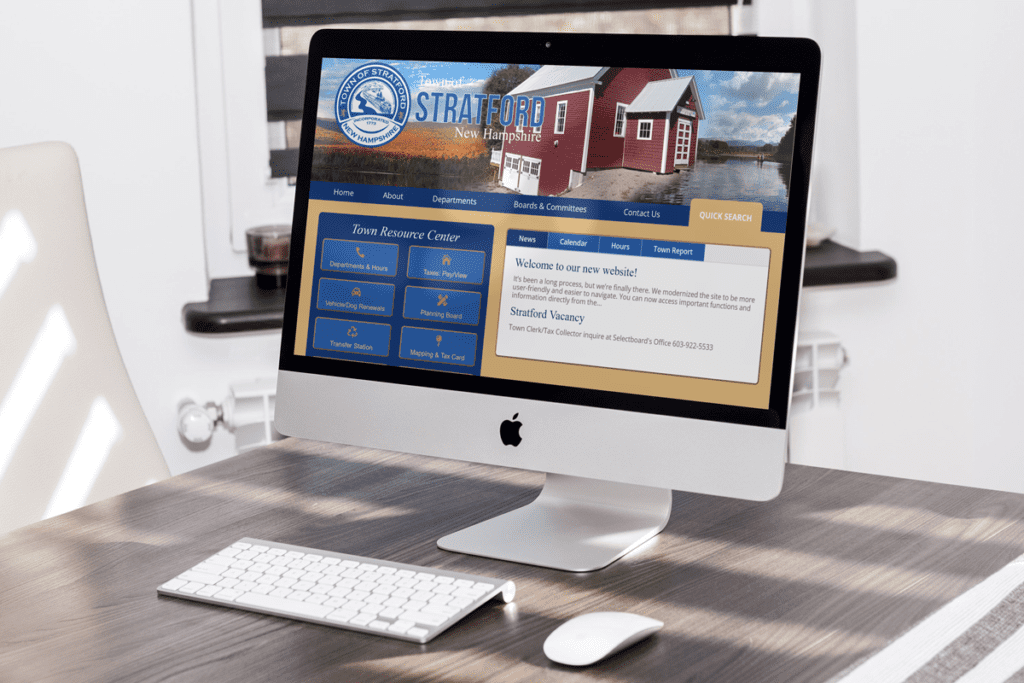
Town of Stratford Municipal Website, Stratford, NH Web Design
What All These File Types Actually Mean
When your designer sends over the “final logo package,” it probably includes a mix of file types like PNG, JPG, SVG, PDF, maybe even EPS. It might look like alphabet soup, but each format serves a purpose.
PNG is your best friend for most online uses. It’s great because it can have a transparent background, which means no awkward white boxes behind your logo when you put it on top of other images or colors. It’s crisp and clean, perfect for websites, emails, and anything digital.
JPG files are common and useful when transparency isn’t needed. They tend to be smaller in file size, making them a good choice for things like newsletters or blog posts where speed matters, and background color doesn’t.
SVG files are for the web pros. These are vector files, meaning they’re scalable without losing quality—no pixelation, no fuzziness, no matter the screen size. They’re super handy for websites, especially responsive ones.
PDFs are perfect for print. If you’re handing off your logo to a printer for business cards, brochures, or signs, the high-resolution PDF format will keep everything looking sharp and professional.
EPS is another print-friendly file and often used by professional designers or printers. You probably won’t need to open it yourself (unless you love Adobe Illustrator), but it’s good to have in your toolkit just in case.
Once you’ve got all these file types, do yourself a favor and create a neat little folder system. Label them by use—like “web,” “print,” “transparent,” and “black and white.” That way, when you need one, you’re not digging through your downloads folder like a raccoon in a trash can.
Your Website: Prime Logo Real Estate
The number one spot your logo belongs is on your website. It should be right at the top, ideally in the upper-left corner of your header. That’s where people naturally look for branding when they land on a site. It’s also a good idea to make it clickable so that it takes users back to your homepage.
Don’t forget your favicon—that teeny-tiny icon that shows up in your browser tab. It might seem minor, but it adds polish to your site and makes your brand easier to spot when someone has 37 tabs open. A simplified version of your logo, like just the symbol or initials, works best here.
Social Media: Keep It Consistent
Now it’s time to spread the logo love to your social media profiles. Use it as your profile picture on platforms like Instagram, Facebook, LinkedIn, and anywhere else your business shows up online. Depending on the space available, you might use the full logo or just a simplified mark. If your logo is long and horizontal, you may need a stacked version to make it fit nicely in a square or circle frame.
Add it to your banners, highlight covers, and even your post designs. Consistency is key. When people scroll past your posts or stories, that visual identity should instantly register. It’s like your digital signature.
Your Email Signature: That Final Touch
One place that’s often overlooked? Your email signature. Whether you’re replying to clients, sending out invoices, or connecting with leads, your emails should have a branded sign-off. A small version of your logo tucked neatly below your name makes even the most routine emails feel professional and intentional.
Printed Materials: Beyond the Screen
Let’s talk about paper. If you’re creating business cards, brochures, menus, flyers, or any kind of printed material, your logo should be front and center. Not in a “giant billboard” kind of way, but make sure it’s there, sized appropriately, and looking crisp. This is where those high-res PDFs and EPS files come in handy. Printers will ask for them, and if you send them a fuzzy JPG instead, they’ll send it right back.
Documents and Forms: Branding Where You Don’t Expect It
You might not think branding matters on invoices, contracts, or proposals, but trust me—it does. Adding your logo to these everyday documents builds consistency. It helps clients remember who they’re dealing with and reinforces the idea that you’re polished and prepared. Even a simple header with your logo can elevate a PDF and make it feel intentional.
Branded Swag and Packaging
If you’re selling physical products or giving out swag like stickers, mugs, or t-shirts, your logo is the star of the show. Use a vector file to make sure it prints clearly and maintains quality. You’ll want to test it on different backgrounds and materials too—what looks amazing on screen might need a few tweaks to shine on a canvas bag or a matte bottle.
Digital Products and Downloads
Offering a freebie? Creating a downloadable checklist, workbook, or eBook? Don’t forget to drop your logo in the header or footer. These resources often get shared or saved, and having your branding on them makes sure your name sticks around even after it’s been passed from inbox to inbox.
Presentations and Videos
Whether you’re hosting a webinar, pitching to investors, or sharing behind-the-scenes reels on social media, your logo deserves a cameo. Place it subtly in the corner of your slides or as an intro/outro in your video content. It doesn’t have to dominate the screen—it just needs to be there, reinforcing your brand.
Keep It Consistent, But Don’t Be Rigid
The most important part of logo use is consistency. Use the same version across platforms when you can, keep the colors and spacing true to your original design, and resist the urge to stretch or distort it. If you have multiple versions of your logo (like an icon-only version or a version with a tagline), have a go-to “main” version and use the alternates strategically when space or format demands it.
But don’t be afraid to adapt slightly. If your Instagram feed looks cleaner with a white version of your logo on a photo, go for it—as long as the logo is still recognizable and feels on-brand.
Wrapping It Up
So yeah, that logo? It’s not just decoration. It’s the face of your business. Make the most of your logo by using it as much as possible. confidently and consistently woven into everything you do, from your website to your social media, from your email signature to your invoices. It’s how you show up, how you’re remembered, and how you build trust at a glance.
Now go forth and brand boldly. If you’re unsure how to set it all up visually, I can show you real-life examples, help you make a basic style guide, or share best practices for logo use.
Graphic file formats are essential for digital and print media, appearing on websites, social platforms, advertisements, and more. Understanding the strengths, limitations, and best use cases of each file format helps ensure your projects are professional and optimized for their purpose. Let’s dive into the most common file formats, their unique features, and when to use them.
JPEG/JPG
JPEG is the go-to format for compressing images while maintaining decent quality. It is the most commonly used format for web graphics, social media posts, and email attachments. Its compatibility across devices and platforms makes it a reliable choice for colorful visuals and photographs. While it provides excellent compression, it doesn’t support transparency or layers. This makes it unsuitable for editing-intensive or design-heavy projects where flexibility is required.
PNG
PNG files are ideal when image quality and transparency are priorities. Unlike JPEG, PNG retains every detail with lossless compression, making it perfect for logos, overlays, and web graphics. Its ability to preserve sharpness and handle transparent backgrounds makes it invaluable for professional designs. However, the larger file size compared to JPEG means it may not be the best option for situations where small file sizes are essential.
GIF
GIF is best known for its ability to create simple animations. It is often used for memes, small web animations, and icons with limited colors. Although it’s highly versatile for lightweight visuals, it is not suited for detailed or high-resolution images due to its 256-color limit. The format is straightforward and performs well for small animations that require quick load times.
EPS File
An EPS file (Encapsulated PostScript) is a vector graphics file format widely used in graphic design and professional printing. Developed by Adobe, it is primarily designed for high-quality, scalable graphics. EPS files store 2D vector images, text, and bitmap data, making them versatile for logos, illustrations, and other design elements.
WebP
WebP is a modern file format that combines quality with performance. Designed specifically for web use, it offers superior compression without sacrificing visual clarity. It supports transparency and animation, making it a flexible option for web developers and designers. WebP ensures faster loading times and high-quality visuals, which is essential in today’s fast-paced digital environment.
TIFF
TIFF is the standard for high-quality images in professional photography, printing, and publishing. It supports layers and delivers uncompromised clarity, making it ideal for projects where detail is critical. Because of its large file size, it is less suitable for web use but remains essential for print and archival purposes.
RAW
RAW files are the digital equivalent of film negatives. Used primarily by photographers, they capture unprocessed image data directly from the camera. This format allows extensive post-production editing, giving photographers maximum flexibility. While RAW files are large and not ready for immediate sharing, they are indispensable for professionals aiming to achieve the best possible results.
SVG
SVG is a scalable vector format that excels in web graphics. It is perfect for responsive designs where icons, logos, or illustrations need to be resized without losing quality. SVG files are lightweight, interactive, and supported by most modern browsers, making them an excellent choice for websites and applications.
PDF
PDF files are highly versatile, maintaining consistent formatting across devices. They are widely used for sharing and printing documents, portfolios, and marketing materials. PDFs are often the final output for design projects, ensuring that typography, images, and layouts appear as intended on any platform.
PSD
PSD is the native file format for Adobe Photoshop. It allows designers to work with layers, effects, and adjustments, making it ideal for editing-intensive projects. Since PSD files are not widely compatible with other software, they are typically converted into formats like JPEG or PNG for sharing or publishing.
AI
AI files are Adobe Illustrator’s native format and are used for creating vector graphics. They are essential for designs requiring scalability, such as logos and icons. Like PSD files, AI files are editable and preserve design elements until exported into more universally compatible formats.
EPS
EPS files are widely used in professional printing and design. They handle vector graphics and are excellent for resizing without losing quality. This format is commonly used for branding materials, such as logos and illustrations, where precision and scalability are key.
HEIF/HEIC
HEIF and HEIC are modern formats used primarily on Apple devices. They offer exceptional image quality with advanced compression, making them efficient for personal photography. However, compatibility issues with some platforms can limit their usability in broader applications.
BMP
BMP, or Bitmap, is an older file format that stores uncompressed raster images. It delivers high-quality images with every detail intact but results in large file sizes. While it’s rarely used today due to its inefficiency, BMP may still be encountered in legacy systems or specific applications requiring precise pixel storage.
ICO
ICO files are used for icons in operating systems like Windows. They contain multiple sizes and resolutions of the same image, enabling scalable icons for menus, toolbars, and shortcuts. While its use is limited, it remains essential for creating application or website favicons.
INDD
INDD is the native file format for Adobe InDesign. This file type is used for creating layouts for books, magazines, brochures, and other print materials. INDD allows multi-page designs and advanced typography settings. While not used for output, INDD is crucial in professional publishing workflows.
XCF
XCF is the native file format for GIMP (GNU Image Manipulation Program). It stores layers, masks, and other elements, making it useful for editing projects within GIMP. Like PSD, XCF files are generally converted to more universal formats for sharing or publishing.
WMF
WMF, or Windows Metafile, is a vector-based file format primarily used in Windows applications like Microsoft Office. Though largely replaced by modern formats like SVG, WMF still appears in older documents or systems where compatibility with Windows is necessary.
PICT
PICT is an obsolete file format native to older Macintosh computers. It supported both raster and vector data, making it versatile during its time. However, it has been replaced by modern formats like PNG and JPEG.
FLIF
FLIF, or Free Lossless Image Format, is a lesser-known image format designed to offer better compression than PNG while remaining lossless. It has not achieved widespread adoption but is useful for developers and designers exploring alternative high-efficiency formats.
AVIF
AVIF is a modern file format derived from the AV1 video codec. It offers superior compression, excellent quality, and support for HDR and transparency. AVIF is gaining traction as a next-generation alternative to formats like JPEG and WebP, especially for web and mobile use.
DNG
DNG, or Digital Negative, is an open-source RAW format developed by Adobe. It provides a standardized way of storing unprocessed image data from cameras. DNG is often used by photographers who want a universal format for archiving and editing RAW files.
HDR/EXR
HDR (High Dynamic Range) and EXR (OpenEXR) are specialized formats for images with a wide range of color and brightness levels. They are primarily used in 3D rendering, visual effects, and high-end photography where dynamic lighting and detail are critical.
Creating brand guidelines is an essential part of building a cohesive and memorable brand. These guidelines serve as the framework for how your business presents itself to the world, ensuring consistency in every interaction, from marketing campaigns to customer service. Brand guidelines help your team stay aligned with your brand’s identity, creating a unified experience for your audience that fosters trust and recognition.
Whether you’re just starting to define your brand or you’ve been in business for years, it’s crucial to develop and continuously refine your brand guidelines to cover all the necessary touchpoints. In this post, we’ll explore how to come up with effective brand guidelines for your business and what elements to include to ensure your brand is reflected in every part of your operations.
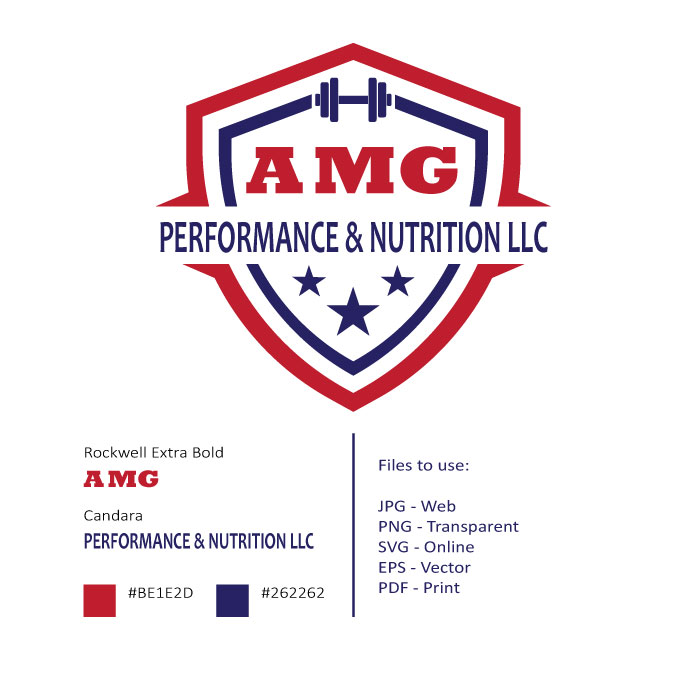
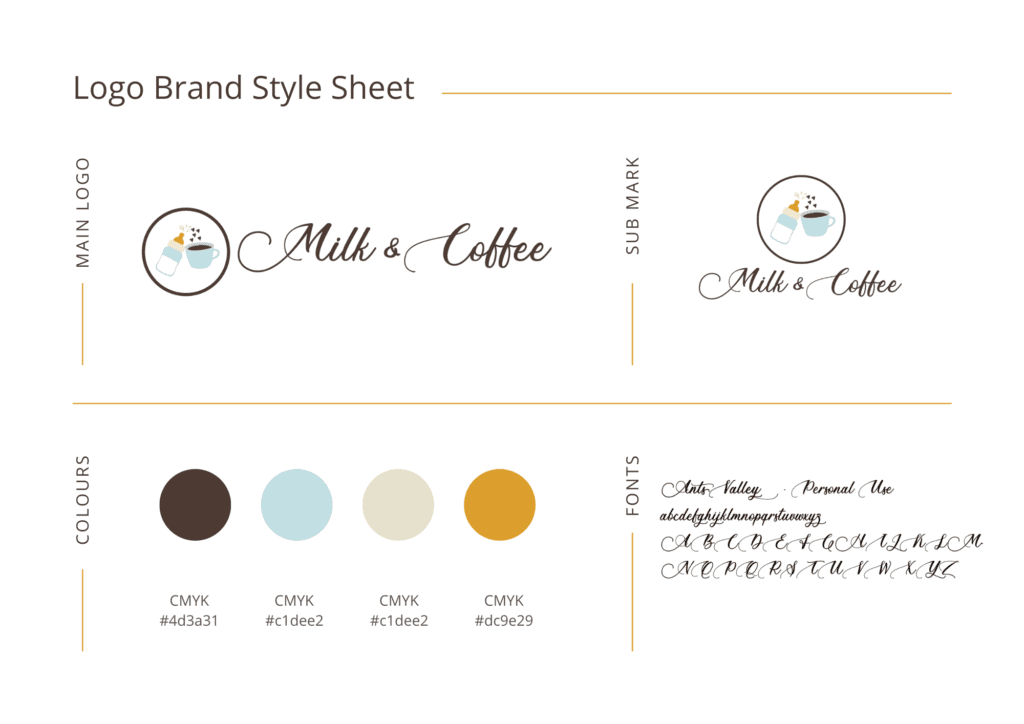
Granite State Functional Fitness Logo Logo Design for North Woods Paw, Columbia, NHMilk & Coffee Blogger LogoLee T. Corrigan LLC Logo Design, Gorham NH
The Importance of Comprehensive Brand Guidelines
At its core, a brand is more than just a logo or a catchy slogan. It’s the emotional and psychological relationship you form with your audience. Customers’ interaction with your business—from visiting your website to speaking with customer support—affects how they perceive your brand. This is why consistency is key.
Brand guidelines act as a set of rules that standardize how your business communicates and presents itself, ensuring consistency across every platform and touchpoint. These guidelines give your team a clear direction on how to express the brand’s voice, tone, and visual identity. Without well-defined guidelines, your brand risks becoming disjointed, which can confuse customers and weaken your credibility.
Start with Your Core Brand Elements
When developing brand guidelines, it’s important to start with the foundational elements of your brand. These include your brand’s mission, vision, values, and target audience. Defining these core elements will serve as the foundation for all other branding decisions. For examples in specific industries see our general contracting branding and vehicle repair examples.
Your mission statement should clearly define the purpose of your business and what it aims to achieve. Your vision statement provides insight into where you see your brand going in the future. Meanwhile, your brand values outline the guiding principles that shape your business decisions and interactions with customers.
Once these elements are in place, they should be reflected in every part of your brand guidelines, from visual design to the tone of your communications.
Establishing Visual Identity Guidelines
One of your brand’s most visible aspects is its visual identity. This includes everything from your logo and color palette to the fonts and imagery you use across your marketing materials. The goal is to create a visual system that is instantly recognizable and aligns with your brand’s overall essence.
Your logo should have clear usage guidelines, detailing where and how it can be used. This includes variations for different backgrounds, sizes, and digital or print formats. The consistency of your logo ensures that your brand is easily identified regardless of where it appears.
Your color palette should also be defined within the brand guidelines. Colors evoke certain emotions and associations, so choosing the right palette is key to reinforcing your brand’s personality. For example, vibrant, bold colors might work for a fun, energetic brand, while muted tones could be more appropriate for a luxury brand. Your guidelines should specify primary and secondary colors and provide exact color codes for print and digital usage.
Typography is another critical element of your brand’s visual identity. The fonts you use in your marketing materials, website, and product packaging should be consistent and complement your overall brand style. Your brand guidelines should specify which fonts are to be used for headings, body text, and any special cases, ensuring visual harmony across all communications.
Defining Brand Voice and Tone
While visuals are important, the way you communicate with your audience is equally crucial. Your brand’s voice and tone dictate how you speak to customers and the emotional response you want to evoke. This covers everything from website copy to social media posts, emails, and customer service interactions.
Your brand voice is the consistent personality that comes through in your communications. For example, your brand might have a professional, authoritative voice or a more playful, conversational one. This voice should be consistent across all platforms to avoid confusion and strengthen brand recognition.
Tone, on the other hand, can shift depending on the context. For instance, the tone you use in a customer support email might be more empathetic and solution-focused, while the tone of a product launch announcement could be more enthusiastic and energetic. Your guidelines should outline when and how to adjust the tone based on the situation, while still maintaining the core elements of your brand voice.
Incorporating Brand Messaging and Copy Guidelines
Your brand messaging is what sets you apart from the competition. It’s how you communicate your value proposition and connect with your audience on an emotional level. As part of your brand guidelines, messaging should be clearly defined to ensure everyone in your organization understands the key points that need to be conveyed in any piece of content.
This section of your guidelines should include your tagline, elevator pitch, and key messaging points that are repeated across marketing materials. If your business offers a range of products or services, it’s important to define specific messaging for each, while still maintaining an overarching brand narrative.
Additionally, consider including copywriting dos and don’ts. This could be anything from avoiding overly technical jargon to using positive, action-oriented language that reflects your brand’s personality.
Covering Internal Communications and Customer Service
Often overlooked, internal communications and customer service are critical areas where your brand should be reflected. Your brand guidelines should extend beyond marketing materials and cover how your employees communicate with each other and with customers.
Internal communication is key to maintaining brand consistency. Every employee should be aware of your brand values and how to reflect them in their daily tasks. For instance, your customer service team should know how to handle inquiries in a way that aligns with your brand’s tone and values. If your brand is all about friendliness and transparency, customer service should mirror this by being open, approachable, and quick to resolve issues.
Include guidelines on how to communicate internally to ensure brand alignment throughout the organization. This could involve defining how team members interact with one another in emails, meetings, and reports. The way your team communicates internally affects how the brand is presented externally, so this step is essential for maintaining consistency.
Expanding Your Brand Guidelines for Growth
As your business evolves, so should your brand guidelines. New products, services, or markets may require adjustments to your branding. Regularly assess your guidelines to ensure they still reflect the essence of your brand and meet the expectations of your audience.
Consider if your guidelines cover all necessary touchpoints, including digital marketing, social media, packaging, internal communications, and customer service. If certain areas feel outdated or inconsistent, expand or update the guidelines to maintain a strong and relevant brand.
A Comprehensive Guide to Strong Brand Guidelines
Developing effective brand guidelines requires careful thought and alignment with your brand’s mission, values, and target audience. A well-rounded set of guidelines will cover your visual identity, messaging, tone, and how your employees represent your brand.
By ensuring that every touchpoint reflects your brand, you create a cohesive and memorable experience for your customers. Regularly updating your guidelines ensures that your brand stays relevant and aligned with your business brand goals, helping you build a stronger, more recognizable brand over time.
Through this process, your brand becomes more than just a set of colors and logos—it becomes an integral part of every interaction, creating long-lasting connections with your audience.
Building a brand goes beyond having a great logo, catchy tagline, or engaging social media presence. Your brand is an entire experience for your customers, and here is how you can incorporate it into every aspect of your business. From your website design to how you handle customer service, every touchpoint offers an opportunity to reinforce your brand identity and build trust with your audience.
Incorporating your brand into every aspect of your business ensures consistency, which is critical for building a strong and recognizable presence in your market. When done right, it creates a seamless customer experience, helping you stand out from competitors and building long-term loyalty.
Town of Stratford Municipal Website, Stratford NH Web Design
Why Consistency Matters
Consistency in branding helps you establish a solid reputation. Imagine walking into a store that has a sleek, modern aesthetic, but when you call customer service, you’re met with outdated, slow processes. The disconnect between the physical brand and customer experience can be jarring, leaving customers confused or unimpressed.
Brand consistency helps avoid these disconnects by aligning your visual identity, communication, and customer experience. When your brand is consistent, it builds credibility. Customers know what to expect when they interact with your business, whether it’s through your website, social media channels, or in-person interactions. Consistency builds trust, and trust leads to loyalty, repeat business, and word-of-mouth recommendations.
Let’s explore how you can incorporate your brand into different aspects of your business, creating a cohesive and memorable experience for your audience.
Brand Integration in Your Website Design
Your website is often the first interaction customers have with your brand. It’s your digital storefront, so it should immediately communicate who you are and what you stand for. Your brand’s logo, color palette, typography, and imagery should all be consistent across your website to create a unified feel.
Take an e-commerce website, for example. If your brand is known for being fun and youthful, your website should reflect that through bright, playful colors, engaging copy, and a layout that feels lively. On the other hand, if your brand is more corporate and professional, your site should feature a clean, minimalist design with a more formal tone.
But it’s not just about aesthetics. Your brand should also influence the functionality of your site. If your brand values simplicity, make sure your website is easy to navigate, with clear calls to action and streamlined purchasing processes. Every element should be intentional and in line with your overall brand identity.
Brand in Your Customer Service Experience
Customer service is one of the most critical touchpoints in your business, yet it’s often overlooked in brand strategy. Every interaction your customers have with your team is a chance to reinforce your brand values and personality.
For example, if your brand is centered around friendliness and approachability, your customer service team should embody those traits in every call or email. Responding to inquiries with warmth and enthusiasm will help build a positive association with your brand. Similarly, if your brand is all about efficiency and professionalism, your customer service should reflect that by offering quick, helpful solutions without unnecessary fluff.
Automated responses, customer support scripts, and even hold music should all be considered in the context of your brand. These small details might seem insignificant, but they add up to create a consistent brand experience that customers will remember.
The Role of Brand in Employee Interaction
Your employees are your brand ambassadors. They represent your company in every customer interaction, so it’s crucial that they embody your brand values. This means investing in training and internal communication to ensure your team understands and embraces your brand.
For example, if your brand is innovative and forward-thinking, your employees should be encouraged to think creatively and push boundaries in their roles. On the flip side, if your brand is known for its traditional values and reliability, your employees should reflect that stability in their actions and communication.
Encouraging employees to engage with your brand can go a long way. Create an internal brand guide that outlines your brand’s mission, vision, and values. Hold workshops or team meetings that focus on how to bring the brand to life in daily interactions with customers and colleagues. When employees feel connected to the brand, they are more likely to deliver a consistent and authentic brand experience.
Packaging, Delivery, and Brand Experience
If your business involves shipping products, the packaging and delivery process should also reflect your brand. Packaging is more than just a functional necessity; it’s an opportunity to create a memorable brand experience for your customers.
Consider how premium brands use sleek, minimal packaging with personalized touches to enhance the unboxing experience. On the other hand, a brand that focuses on eco-consciousness might use recyclable materials, with messaging that highlights the company’s sustainability efforts.
Delivery services can also enhance the brand experience. If your brand is known for speed, quick delivery times reinforce that promise. Alternatively, if your brand is about luxury and indulgence, consider offering special delivery services like gift wrapping or handwritten thank-you notes to make the experience feel extra special.
A Guide to Incorporating Your Brand in Everyday Operations
Now that we’ve discussed why consistency is important and how to reflect your brand in different areas, let’s break down how you can start incorporating your brand into every facet of your business. Below is a step-by-step guide that you can use as a worksheet to implement these strategies:
1. Review Your Brand Guidelines
Go over your existing brand guidelines and assess whether they cover all the necessary touchpoints. Do they include instructions on customer service tone, website copy, and internal communications? If not, expand them to ensure your brand is reflected in every part of your business.
2. Audit Your Customer Touchpoints
List every place your customers interact with your brand: your website, social media, customer service channels, packaging, emails, and even in-person experiences. For each touchpoint, ask yourself:
Does this represent our brand accurately?
Is it consistent with other brand elements?
How can we improve this experience to better reflect our brand?
3. Train Your Team
Ensure your employees are trained to understand and embody your brand values. Create a brand training program that educates staff on how to represent the brand in customer interactions. Hold regular workshops or meetings to keep the brand at the forefront of employee communication.
4. Align Your Marketing
Examine your marketing campaigns to ensure they reflect your brand’s voice and personality. Whether you’re running ads, creating content, or managing social media, every piece should feel like it’s coming from the same brand. Consistency in messaging and design will strengthen brand recognition.
5. Refine Your Customer Service Strategy
Develop customer service guidelines that align with your brand values. Consider how you want customers to feel after interacting with your service team and structure your processes to reflect those values. Regularly review customer feedback to ensure your team is delivering the right brand experience.
6. Customize the Packaging Experience
If applicable, think about how your product packaging can enhance your brand experience. Whether it’s through the materials you use, the messaging you include, or additional touches like personalized notes, packaging is a powerful tool for reinforcing your brand identity.
Incorporating your brand into every aspect of your business creates a cohesive, memorable experience for your customers. From website design to customer service and packaging, ensuring brand consistency at every touchpoint strengthens customer loyalty, builds trust, and sets you apart from the competition.