I Have a Website—Now What?

You finally launched your website. Cue the confetti cannons! Whether you hired a designer, DIY’d it with caffeine and tutorials, or spent weeks refining it to perfection, having a live website is a big deal. It’s your online home, your digital storefront, your 24/7 ambassador. But now that it’s out there, what’s next?

Spoiler alert: the work doesn’t end when you hit “publish.” Launching your site is just the beginning of the fun. Now it’s time to use it, promote it, update it, and let it work for you.

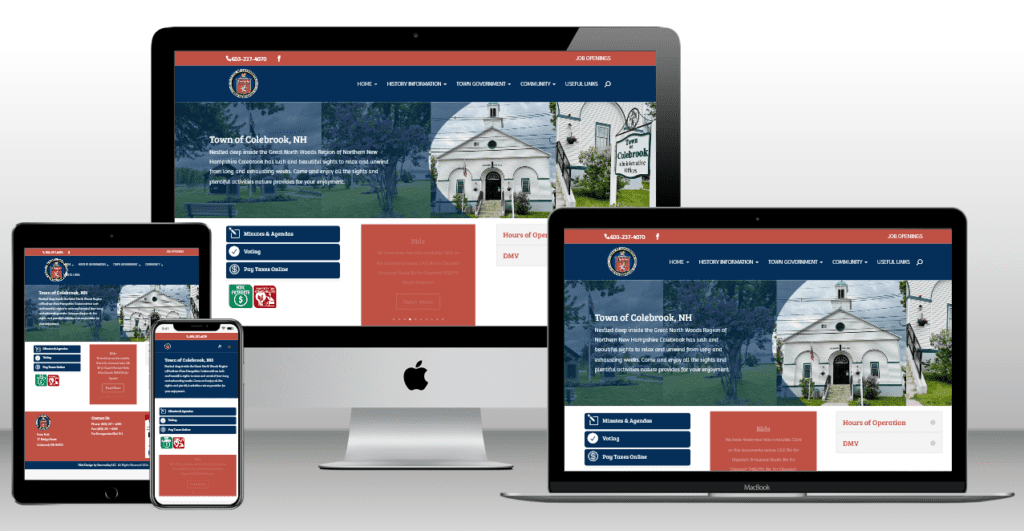
Great North Woods Region Website

Tell the World About It

First things first: shout it from the rooftops. You didn’t create a beautiful site just to let it sit quietly in the corner of the internet. Start by posting a big, bold announcement on your social media channels. Share a screenshot of the homepage or tease a special section—maybe a blog, gallery, or service page. Write a quick caption that says something like, “We’re live! Check out our brand-new site and let us know what you think.”

Don’t forget your email list if you have one. A quick announcement with a link to your homepage and a little message about what’s new or why you’re excited will go a long way. Even if it’s just friends, family, or past customers, it builds buzz and reminds people you exist (in the nicest way).

This one’s often overlooked but super important: make sure your new website link is showing up in all the right places. That includes your social media bios, your Google Business Profile, your email signature, your online directories, and anywhere else you’ve ever shared your business.

This is especially true if you had an older site or were using a placeholder domain. You don’t want people clicking outdated links and landing somewhere awkward. Make the rounds and get everything cleaned up and pointing to the right spot.

Check In on the Mobile Experience

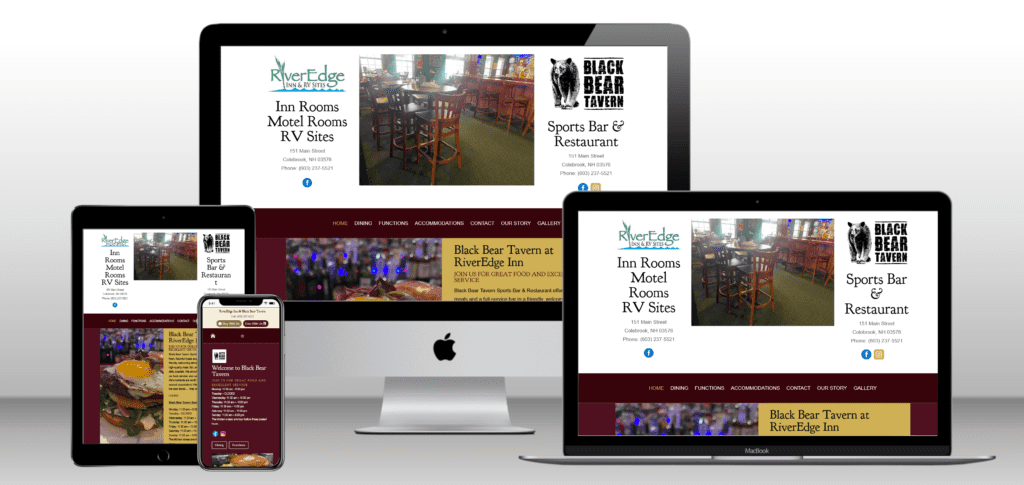
You probably looked at your site on your desktop (a lot), but take some time to see how it looks and feels on your phone. Mobile traffic is huge these days, and what looks perfect on a big screen might need some adjustments on a small one.

Check for things like squished text, buttons that are hard to tap, or images that load weirdly. Click around like a customer would—pretend you’re trying to contact yourself, find a service, or scroll through your gallery. If something feels off, don’t panic. A good designer (or even a solid template editor) can help you make some quick tweaks.

Keep It Fresh

A website is not a crockpot—you don’t set it and forget it. Keeping things up to date is one of the easiest ways to show people your business is alive and active. You don’t have to change everything all the time, but even small updates make a big difference.

Swap out a seasonal banner, update your photos, rewrite a few blurbs, or change your homepage text to reflect what’s new. If you offer events, sales, or updates, make sure they’re timely. There’s nothing worse than a “Summer 2023 Special” still showing up in 2025.

If your site has a blog or news section, use it! You don’t have to post every week—just show up now and then. It builds trust, helps with search engines, and gives visitors a reason to come back.

Track What’s Working

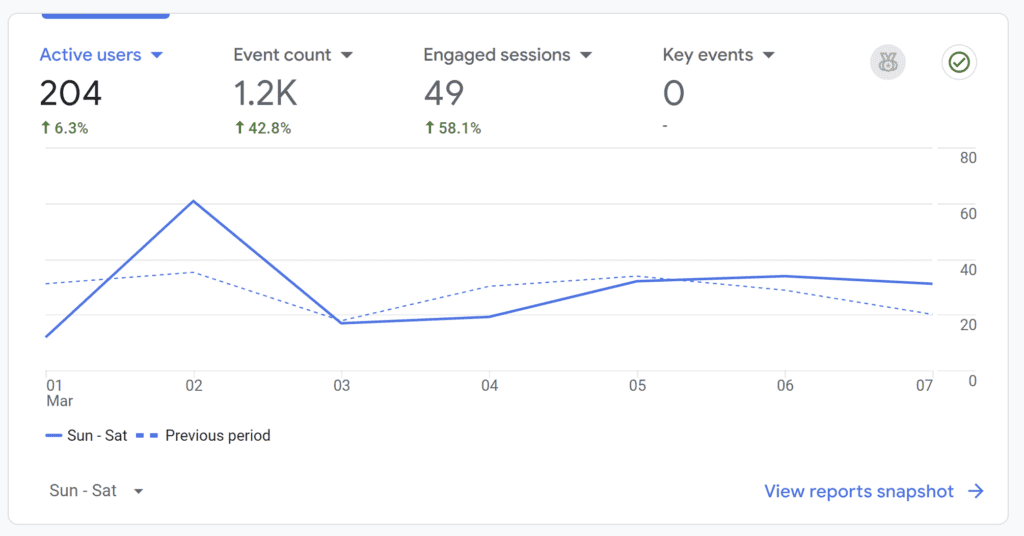
Now that people are visiting your site, it’s time to find out what they’re actually doing there. Tools like Google Analytics or built-in website stats can tell you how many people are visiting, how long they’re staying, what pages they’re clicking, and where they’re coming from.

It’s not just for nerds—this stuff is gold. If you notice everyone is visiting your “About” page but bouncing from your “Services” page, maybe it’s time to rework that content. If blog posts are your most-visited area, keep posting. If no one ever clicks your contact button, make it bigger. Or brighter. Or, you know, just make sure it works.

Make Sure You’re Safe and Secure

Security is not the sexiest topic, but it’s super important. Make sure your site has an SSL certificate (that’s the little padlock in your browser bar). If you’re on a reputable platform or hosting plan, it probably does—but it’s worth checking.

If you’re using WordPress, keep your plugins, themes, and WordPress version up to date. Hackers love outdated sites. A simple update can save you from a world of pain.

Backups are another lifesaver. You never think you’ll need one until that one plugin breaks your whole homepage or you accidentally delete your contact form. Automated daily backups = peace of mind.

Ask for Feedback

Your website is for your audience, so don’t be afraid to ask what they think. Send it to a few friends or loyal customers and ask them to poke around. What did they like? What was confusing? Did anything feel missing?

Fresh eyes can spot things you missed and give you great insight into how your site is being experienced by actual humans. Sometimes, just tweaking a headline or rearranging a section can make a huge difference.

Drive Traffic With Purpose

Now that you have a website, you want people to visit it on purpose, not just by accident. Start by linking to it in all your marketing materials. If you hand out flyers, business cards, or even send invoices, make sure your URL is there.

Use your site in your social media content. Instead of just posting a photo of a new product or service, write a quick caption and say “Learn more on our website,” and drop the link. You don’t need to hard-sell. Just keep weaving it into your content so people start to associate your site with your brand.

If you blog or share helpful content, pin those links to the top of your Facebook page or create highlight reels on Instagram that say “Visit our site!” Make it part of your rhythm.

Start Building Your SEO

Search engine optimization (aka SEO) is how people find you when they don’t already know you exist. Think of it as laying breadcrumbs for Google to follow. Your site should have clear page titles, descriptive text, and relevant keywords that match what people would search to find a business like yours.

If your site builder has built-in SEO tools, use them. Fill in your page descriptions, image alt text, and focus keywords. You don’t have to go full-tech-wizard, but even the basics can help search engines understand what your site is about.

If you want to get serious, consider writing blog posts or pages that answer common questions people ask in your industry. Google loves helpful, fresh content.

Celebrate the Launch, But Keep Going

Launching your website is a huge milestone, and you should celebrate it. But it’s not a finish line—it’s more like opening the door. The real magic happens when you start using your site as a tool, a platform, and a way to connect with the people who need what you do.

So go update those links, freshen up your pages, and share it with the world. Your website isn’t just sitting there—it’s working for you, even while you sleep.

Want some help setting goals or making a checklist? I can show you how to track website traffic, create a monthly maintenance plan, or even brainstorm ways to promote your site.

How Google Gemini and Copilot Are Changing Search

The way people search online is evolving faster than ever. Traditional search engines used to rely mostly on keywords, but now, AI-driven platforms like Google Gemini and Microsoft Copilot are transforming the way we discover and access content. As search technology becomes more conversational, contextual, and intelligent, businesses and website owners need to rethink how they design, write, and structure their sites.

A good-looking website isn’t enough anymore. If your content isn’t optimized for the way these new AI-powered systems process and prioritize information, you could be missing out on traffic, leads, and visibility. Let’s take a look at how these technologies work and what you need to do to stay ahead.

What Is Google Gemini?

Google Gemini is part of Google’s next-generation artificial intelligence efforts, designed to offer more advanced reasoning, deeper understanding of user intent, and broader context. It blends Google’s core search capabilities with generative AI, which allows it to create answers, summarize information, and provide more interactive search experiences.

Unlike the older keyword-matching models, Gemini interprets meaning based on context. That means it’s not just looking for exact phrases—it’s trying to understand what a person really wants. For example, if someone types, “best ways to keep my garden healthy without using chemicals,” Gemini will prioritize helpful, human-centered content over a short blog stuffed with keywords like “organic gardening.”

In addition, Google Gemini is deeply integrated with Google’s other services and data sources. That includes maps, shopping results, business listings, and YouTube, giving it a broad, dynamic base to pull from when answering queries.

What Is Copilot?

Copilot is Microsoft’s AI assistant built into Bing and the Microsoft ecosystem. Powered by OpenAI’s technology, it enhances traditional search by providing intelligent, conversational answers to complex questions. Copilot isn’t just a search tool—it’s a content creator, a summarizer, and a research assistant that combines search results with AI-powered reasoning.

Users can interact with Copilot by asking questions in natural language and refining those queries as they go. Instead of scanning through ten blue links, users get a summarized response, often citing multiple sources in one AI-generated answer. This shift changes how people find and consume information—and how your website gets discovered.

For website owners, this means your content might appear in a Copilot response without the user ever clicking on your link—unless your content stands out as the most helpful, informative, or clickable option. In this new landscape, quality matters more than ever.

How These AI Search Engines Find and Rank Content

Even with all the advanced technology, AI search engines still rely on the basics: content, structure, links, and user experience. The difference is how they evaluate these elements.

AI engines look for trustworthy, in-depth, and context-rich content. They evaluate how well your page addresses a question or topic—not just whether it uses a specific keyword. Search engines also analyze how your site is structured, how quickly it loads, and whether users find it helpful or bounce quickly.

Backlinks, or links from other sites to yours, are still a major factor. They tell search engines that your content is valuable and trusted by others. However, AI-powered engines can better distinguish between organic, high-quality backlinks and spammy link building tactics.

Another major change is that search engines are now pulling information from multiple pages to generate answers. That means even if your site isn’t ranked first, a well-written paragraph on a subpage might be used in an AI-generated result—if it’s structured correctly.

Why Website Design Still Matters

With all this talk about AI, it’s easy to forget about design—but that would be a huge mistake. A fast, well-organized, mobile-friendly website is still a non-negotiable. If your site loads slowly, is hard to navigate, or doesn’t adapt to different devices, it doesn’t matter how good your content is—users won’t stick around, and search engines will notice.

Site architecture is also critical. A clean menu structure, logical URL hierarchy, and internal links help AI bots crawl your site more effectively. They can understand your content better, and that leads to higher rankings and better placement in AI-generated responses.

To succeed in this new era of search, you need to write content that helps people, not just rank for a keyword. Google Gemini and Copilot look for content that answers questions thoroughly, explains concepts clearly, and feels authentic.

Start by identifying your audience’s problems or questions, then create content that solves those issues. Use natural language. Write like you’re talking to a real person—not a robot. Structure your content with clear headings and break up long blocks of text with short paragraphs.

One great way to align your content with AI search engines is to include concise summaries or key takeaways in your articles. AI often pulls snippets from these sections to display in results. You can also include FAQs at the end of blog posts to address common questions, which can help increase your visibility in AI-generated answers.

Links help AI engines map the internet. They connect pages and help define the relationship between topics and sources. You should use both internal links (linking to your own pages) and external links (linking to other reputable sources).

Internal links guide users and bots to related content on your site. They also help distribute page authority across your website. For example, linking from a high-traffic blog post to a product or service page can boost visibility for your offerings.

External links to trusted sources show that your content is well-researched. They also help AI systems understand the broader context of your topic. Just avoid linking to low-quality or spammy websites—that can hurt your credibility.

Focus on quality over quantity. One great article that answers a user’s question completely is better than five shallow posts. Google and Copilot both reward depth, clarity, and usefulness.

Keep your site updated. Outdated content won’t perform well in AI-driven results. Refresh old posts with new stats, current examples, and relevant updates.

Use schema markup. Structured data helps search engines understand your content better. It’s especially useful for FAQs, events, reviews, and products.

Think conversationally. People are now typing full questions into search bars or speaking into their phones. Your content should mirror that tone and format when possible.

Test your website. Run it through mobile and speed tests regularly. AI tools prioritize fast, responsive websites with great UX.

Final Thoughts

Search is no longer just about keywords—it’s about conversation, context, and content quality. Google Gemini and Microsoft Copilot are reshaping how people find answers online. That means your website needs to evolve too. It should be well-designed, fast, mobile-friendly, and filled with valuable, easy-to-understand content that speaks to real human needs.

Whether you run a blog, a business site, or an e-commerce platform, your success depends on how well you adapt to these changes. Put effort into your design, invest in helpful content, and embrace the way AI is transforming search.

The future of online visibility isn’t about gaming the system—it’s about being genuinely useful. And that starts with your website. As an NH web design company, SunnValley is here to help you build smarter websites that work for both your visitors and modern AI search engines.

Link Building for SEO: Why It Matters and How to Do It Right

If you’re trying to improve your website’s visibility on Google, you’ve probably heard about the importance of SEO. While many aspects of search engine optimization play a role in your ranking, link building for SEO remains one of the most powerful—yet often misunderstood—strategies out there.

Link building for SEO is the process of acquiring hyperlinks from other websites to your own. A hyperlink allows users to navigate between pages on the internet. But it also plays a key role in how search engines discover and rank content. When one website links to another, it’s like casting a vote of confidence. The more quality votes your site receives, the more authority it gains in the eyes of search engines like Bing, CoPilot, Google and Gemini

There are two kinds of links: internal links that connect pages within your own website, and external links that come from other websites and point to yours. While internal linking helps structure your site and guide users, it’s the external links—or backlinks—that carry the most weight in terms of SEO.

SEO Results
SEO Results

Search engines view backlinks as indicators of trust and authority. If a reputable website links to your page, it’s essentially endorsing your content. Over time, search engines consider this collective endorsement when determining where to rank your page in search results.

Good link building can improve your rankings, increase your visibility, and bring more targeted traffic to your site. It also helps build your brand’s credibility. Your website becomes easier to find as search engines follow links to discover new pages. Link building isn’t just about getting more links—it’s about getting the right links from trustworthy, relevant sources.

It’s also worth noting that poor link building can hurt your site. Links from irrelevant or low-quality sites, link schemes, and spammy directories can lead to penalties or a loss in rankings. So while backlinks are valuable, they must be earned honestly and strategically. SunnValley has a free online directory greatnorthwoodsregion.com to help build quality links back to businesses in the area and visit our blog post for more ways to link back to your site.

At the heart of any successful link building strategy is great content. If you create something truly valuable—whether it’s an in-depth guide, original research, a visual resource, or a helpful tool—people will naturally want to link to it. Your content should be useful, unique, and relevant to your audience. When people find it helpful, they’ll share it. Some of those shares will turn into backlinks.

Guest blogging is another effective way to build links. When you contribute a well-written article to another site in your industry, you not only reach a new audience but also earn a link back to your own site. This approach works best when you’re selective about where you post, choosing reputable sites that are related to your field. The key is to offer something valuable to their readers—not just promote yourself.

Sometimes, links that once pointed to your site can break. This could happen if you move or delete a page, or if another website links incorrectly. Tools like Ahrefs or SEMrush can help you find these broken backlinks. Once you find them, you can fix the issue by redirecting the broken page or contacting the site owner to update the link. It’s a simple but often overlooked way to preserve link equity you’ve already earned.

Building Relationships

Building relationships in your industry can also lead to natural backlinks. When people know and trust you, they’re more likely to reference your content or collaborate with you. This might happen through social media engagement, joining relevant online groups, or simply being active in your professional community. Networking isn’t just good for business—it’s great for SEO too.

If your business serves a local audience, getting listed in reputable directories can be a helpful link building for SEO tactic. Sites like Yelp, the Better Business Bureau, or your local Chamber of Commerce often provide legitimate backlinks. Just make sure the directories are relevant and well-established, as spammy directories can do more harm than good.

Once you’ve created great content, it’s important to promote it. Share your content on social media, email it to your list, and reach out to bloggers or site owners who might find it valuable. If you mention specific tools, people, or companies in your content, let them know. They might be willing to share or link to your work.

Another smart strategy is to use HARO (Help a Reporter Out). This free platform connects journalists with expert sources. By responding to relevant queries, you have a chance to be featured in major media outlets. That usually includes a backlink to your website. It’s a competitive process, but when it works, it can be a major SEO win.

What to Avoid

Not all link building is good link building. Buying links, participating in link schemes, or using shady link farms can result in Google penalties. These tactics might offer short-term gains, but they often backfire. Focus on quality, not quantity, and aim to build a link profile that looks natural and trustworthy.

A Real-World Example

Let’s say you own a small landscaping company. You write a detailed guide on how to prepare your lawn for spring in New England. The guide includes tips, a printable checklist, and photos. You share it on your Facebook page and mention it in your newsletter. A local gardening blogger picks it up and links to it in one of their posts. A week later, the regional newspaper writes an article about seasonal lawn care and links to your guide as a helpful resource.

Now, not only are you getting traffic from those referrals, but search engines are also taking note. Because these links come from respected and relevant sources, your guide starts climbing in search rankings for keywords like “spring lawn care New England.” Over time, this one piece of content becomes a valuable asset. It draws in both customers and SEO benefits month after month.

Final Thoughts

Link building is a vital part of any SEO strategy, but it’s not about shortcuts. The best results come from investing in your content, building relationships, and promoting what you create. It takes time, but when done right, the impact is long-lasting. Whether you’re running a blog, a local business, or a large e-commerce store, smart link building can help you rise in the rankings and reach the audience that matters most.

If you’re ready to boost your SEO and need help building a link strategy that works, get in touch—we’re here to help you grow.

Blogging Best Practices in 2025: What Works, and What Doesn’t

The Blogging Game Has Changed (Again!)

If you’ve been blogging for a while, you know the landscape shifts constantly. What worked five years ago might not cut it today. Google’s algorithms evolve, people’s attention spans shrink, and the way we consume content keeps changing. But when we think about blogging in 2025, one thing remains true: following blogging best practices can ensure a well-crafted blog that still drives traffic, establishes authority and turns readers into loyal customers. Are you thinking about starting a blog?

The question is, what are the best practices right now? Let’s break it down so you can keep your blog fresh, engaging, and working for your business.

Writing for Humans, Optimize for Google

Once upon a time, stuffing your blog post with keywords was the golden ticket to ranking. Not anymore. Search engines have gotten smarter, and they favor content that genuinely helps people. This means your blog should be written with your audience in mind first and SEO second.

For blogging best practices, use natural language. Think about how your audience talks and what they’re searching for. Instead of forcing in awkward keywords, use phrases that sound like something someone would actually type into Google.

Google also loves well-structured content. That means using headings (like this one!), short paragraphs, and sentences that don’t require a PhD to understand. The easier it is to read, the better.

Blog Headlines That Stop the Scroll

Your headline is the first impression. If it’s boring, vague, or too complicated, your potential reader is gone before they even click. The best headlines are clear, and intriguing, and promise something valuable.

Think about what would make you click. Would you read “How to Write a Blog” or “The Secret to Writing Blogs That Actually Get Read”? The second one sparks curiosity and makes a promise. That’s what you’re aiming for.

The Power of Storytelling

People love stories. They connect with them, remember them, and engage with them far more than with plain facts or instructions. Even if you’re writing about something technical, weave in a narrative. Maybe it’s a personal experience, a client success story, or an example that brings your point to life.

Storytelling also makes your blog posts more relatable. It reminds your readers that there’s a real person behind the words, not just another faceless website churning out content.

Keep It Conversational

Your blog is not a research paper. It’s a conversation between you and your reader. Drop the overly formal language and write like you talk. A casual tone makes your content more enjoyable and easier to digest.

If you wouldn’t say it out loud to a client, don’t write it. And don’t be afraid to sprinkle in some personality—your readers aren’t here for a textbook; they’re here for you.

Length Matters (But Not the Way You Think)

Once, blogging best practices used to include short-form blogs ruled. Then, long-form content became the favorite. Now? It’s about balance. Google tends to favor longer, in-depth posts, but only if they’re actually interesting. No one wants to read 2,000 words of fluff.

Write as much as you need to cover your topic thoroughly, but keep it engaging. If that’s 800 words, great. If it’s 1,500 words, also great. The key is making sure every sentence earns its place.

A blog post is rarely a one-and-done deal. You want readers to stick around, explore your site, and eventually convert into customers. One of the best ways to do that? Internal linking.

Link to other relevant blog posts or pages on your site where it makes sense. It’s good for SEO, helps with navigation, and keeps people engaged with your content longer. Plus, it subtly guides them toward taking action, whether that’s learning more about your services or signing up for your newsletter.

Images, GIFs, and Videos—Oh My!

A wall of text is intimidating. Break it up with visuals. Images, GIFs, and videos can add humor, demonstrate a point, or just give the reader’s eyes a break.

Videos are especially powerful right now. A short clip explaining a concept can boost engagement and even improve your ranking. And if you’re worried about production quality, don’t be—authenticity often trumps high production value.

The Call to Action: Blogs Don’t Leave Readers Hanging

Every blog post should have a purpose. Maybe you want readers to book a call, sign up for a newsletter, check out another blog, or follow you on social media. Whatever it is, tell them!

Your CTA doesn’t have to be pushy, but it should be clear. Something as simple as “Want more marketing tips? Subscribe to our newsletter” can work wonders.

Consistency: The Unsexy Secret to Success

One great blog post won’t move the needle if it’s your only one. Blogging best practices is a long game, and consistency is key. That doesn’t mean you have to post every day, but set a schedule and stick to it.

Google rewards fresh content, and your audience will start expecting new posts. Whether it’s once a week or twice a month, the goal is to keep showing up.

Promotion: Because Hitting ‘Publish’ Isn’t Enough

You could write the best blog post in the world, but if no one sees it, what’s the point? Don’t just hit publish and hope for the best—promote it.

Share it on social media. Send it to your email list. Turn it into an Instagram post, a LinkedIn article, or a tweet thread. Repurpose it into a video or a podcast. The more ways you can get your content in front of people, the better.

Blogging in 2025: What Really Matters

Blogging isn’t dead. Far from it. But the rules keep evolving. Right now, what matters most is writing content that’s valuable, engaging, and optimized without feeling robotic. If you’re not sure about how to start a blog, hire a professional web developer.

If you can tell a good story, connect with your audience, and stay consistent, your blog will do more than just exist—it’ll thrive. And if you need help with strategy, design, or making sure your blog actually works for your business, well, you know who to call. SunnValley can help you manage your content and blog.

Best Places to list your business for free online

If you run a local business, getting found online is key to attracting customers. One of the best ways to improve your visibility is by listing your business on reputable directories. Not only does this help potential customers find you, but it also builds valuable backlinks to your website, which can boost your search engine rankings. Here are some of the best free places to list your business online:

Great North Woods Region Web Design

1. Google Business Profile

Google Business Profile is a must for any business. It ensures your company appears in Google Search and Google Maps. A complete and accurate profile can increase your chances of showing up in local search results when people are looking for businesses like yours.

2. Bing Places for Business

Bing Places is Microsoft’s version of Google Business Profile. While Google dominates the search engine market, Bing still has a significant user base. Listing your business here can expand your reach and attract potential customers who prefer Bing as their search engine.

3. Yelp

Yelp is well-known for customer reviews. Listing your business on Yelp can boost credibility and help you connect with customers who rely on reviews before making a decision. Encourage satisfied customers to leave positive feedback to enhance your reputation.

4. Great North Woods Region

Great North Woods Region is another locally targeted directory, helping businesses in Northern New Hampshire get noticed by both locals and tourists. If your business serves customers in this area, listing here can enhance your online presence and attract new clients.

5. Visit NH

Visit NH is New Hampshire’s official tourism site. If you have a hospitality business, this is a great platform to increase your visibility. The site also allows you to list events, making it a valuable resource for promoting seasonal activities and special occasions.

Why These Listings Matter

Listing your business in these directories does more than just help people find you—it also strengthens your website’s SEO. Backlinks from reputable sources tell search engines that your business is legitimate and trustworthy, which can help improve your rankings over time.

The Problem with Relying Only on Facebook for Business Marketing

Are you using only Facebook for your business? This article is for you. If your business doesn’t have a website and you do all your marketing on Facebook, what does that say about your business? It might seem like an easy, low-cost way to reach customers, but it also sends a message that may not work in your favor. While Facebook is a great tool for engaging with people, it shouldn’t be the only place your business exists online.

New North Woods Paw Website

Customers Expect a Website

Think about the last time you wanted to learn more about a business. Chances are, you Googled it. Maybe you were looking for a menu, pricing, hours, or just trying to figure out if the business was legit. What happens if there’s no website? It feels incomplete. A Facebook page alone can make a business look small, temporary, or even untrustworthy.

A study by BrightLocal found that 98% of consumers use the internet to find information about local businesses, and 76% check a company’s website before visiting in person or making a purchase. If all they find is a Facebook page, they might move on to a competitor with a professional website that answers their questions.

Facebook is Not Enough

Facebook is designed to keep people on Facebook. It’s great for social interaction, but it’s not built to replace a real business website. The layout is the same for every page, meaning you can’t make your business stand out. There’s also the risk of Facebook changing its algorithms, and policies, or even suspending your page. If that’s your only online presence, you’re putting all your marketing power into something you don’t own.

Search engines also favor real websites. Google accounts for over 92% of the global search engine market share, and its algorithms prioritize businesses with their own websites. If your competitors have websites and you don’t, they’re more likely to be found first. In fact, a study by WebFX found that over 70% of businesses that invest in SEO and a professional website see increased traffic and conversions compared to those that rely solely on social media.

A Website Builds Trust

A professional website tells customers that you’re established and serious about your business. It gives you a space to fully explain what you do, highlight customer reviews, showcase products, and answer common questions—all in a format you control. It also makes your business look bigger, even if you’re a one-person operation.

People trust businesses that have well-designed, informative websites. 75% of consumers admit to judging a company’s credibility based on its website, according to Stanford Web Credibility Research. Without one, you might be losing potential customers simply because they don’t see enough proof that your business is legitimate.

My Website is My Marketing Hub

I use my website as my main hub, and everything else—my social media, business directories, links on other sites, and email marketing—points back to it. Instead of relying on Facebook or any other platform to be my online presence, I’ve built my website to be the central place where customers can find all the information they need.

On top of that, I use SEO (Search Engine Optimization) to rank my website at the top of Google, making it easy for potential customers to find me when they search for the services I offer. Unlike social media, where posts come and go, a well-optimized website consistently brings in traffic. And because I own my website, I don’t have to worry about changing algorithms or policies affecting my reach.

Social Media Should Support Your Website, Not Replace It

Facebook and other social media platforms are great tools, but they should be part of a larger marketing strategy. Social media is where people hang out, but your website is your home base. You can use Facebook to connect with your audience, post updates, and run ads, but the goal should be to send people to your website, where they can take action—whether that’s making a purchase, booking a service, or learning more about what you offer.

A website gives your business long-term stability. Unlike Facebook, where posts disappear in a never-ending scroll, your website is always there, ready to provide clear, organized information. According to HubSpot, businesses with websites generate 126% more leads than those without one, simply because they offer more opportunities for customers to find them.

The Bottom Line

If you’re relying only on Facebook for marketing, you’re limiting your reach, your credibility, and your ability to grow. Customers expect businesses to have websites, and without one, you’re missing opportunities. A website gives you control over your brand, helps you rank in search results, and makes your business look professional and trustworthy.

Social media is important, but it’s not enough on its own. If you want your business to thrive, a website isn’t just a nice addition—it’s a necessity.